

-
Mo
chevron_right
Movim 0.35 "Thiele" is out!
edhelas • pubsub.movim.eu / Movim • 9 September 2026 edit • 4 minutes
This release introduces a feature developed during the latest IETF Hackathon in Vienna, along with the final step of the video-conference modernization project started two years ago and funded by NLNet.
Let's dive in!
Message displayed synchronization ✅
Movim now implements XEP-0490: Message Displayed Synchronization.
This XMPP extension allows Movim, and other XMPP clients, to ensure that when a message is displayed on one device (marked with the double check) it is also marked as displayed on all your other devices.
This is especially useful when you log back into a device after a few days: most of the messages synced back from your XMPP server will already have been read on another one of your devices.
The notification counters for one-to-one chats and chatrooms should now stay in sync 😸
Introducing Movim Galener and Wide Conference Calls
In early 2024, NLNet funded an important project for Movim: modernizing and completing the video-conference stack.
This project was split into three milestones.
Modern one-to-one calls. The goal was to rewrite and fully refresh the backend (XMPP Jingle and Movim Core) and frontend (CSS, WebRTC, and JavaScript) code related to video-call features. These technologies had evolved a lot over the past few years, and parts of Movim's codebase had grown outdated. This was delivered in Movim 0.28 - Tempel.
Integrated one-to-many calls. Most of the work here involved introducing Muji (Multi-User Jingle), which lets one participant call several others simultaneously via multiple one-to-one calls. This feature came with a complete redesign of the video-conference interface to support several participants at once. It was delivered in Movim 0.32 - Wilk in early 2025.
And now, part three...
Adding SFU support and Wide Conference Calls
Muji works pretty well, but as you might guess, it doesn't scale very well.
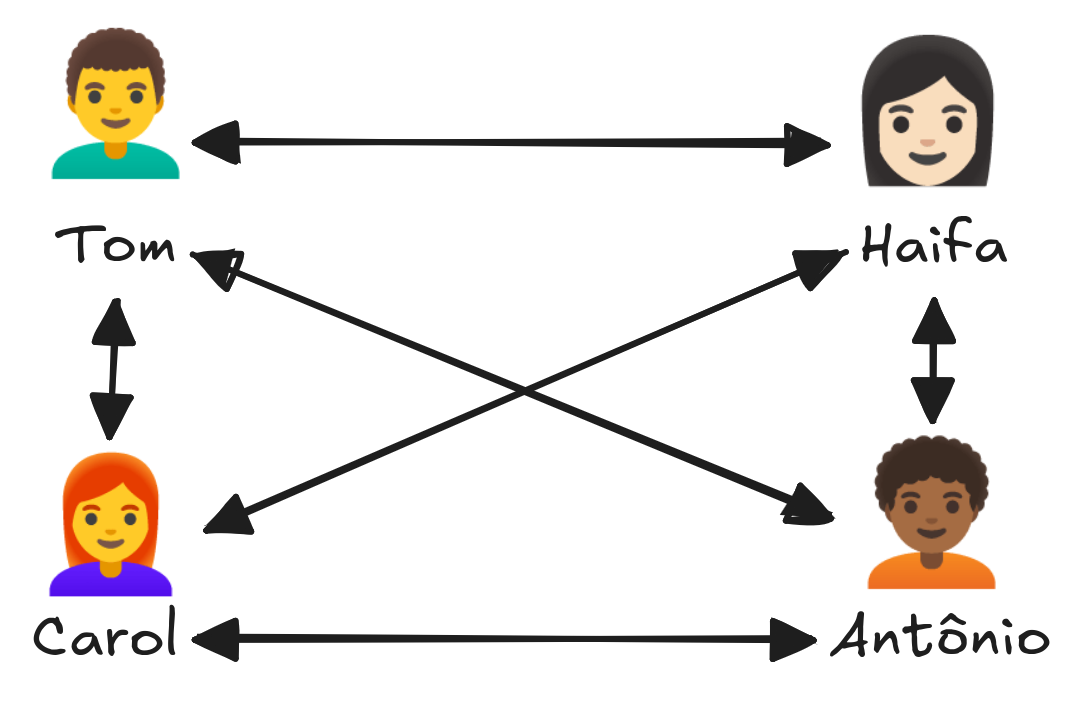
With N participants, this results in N×(N-1)/2 connections, and each device has to encode and upload its stream separately to every peer. This scales poorly beyond 3-5 people, especially on mobile.
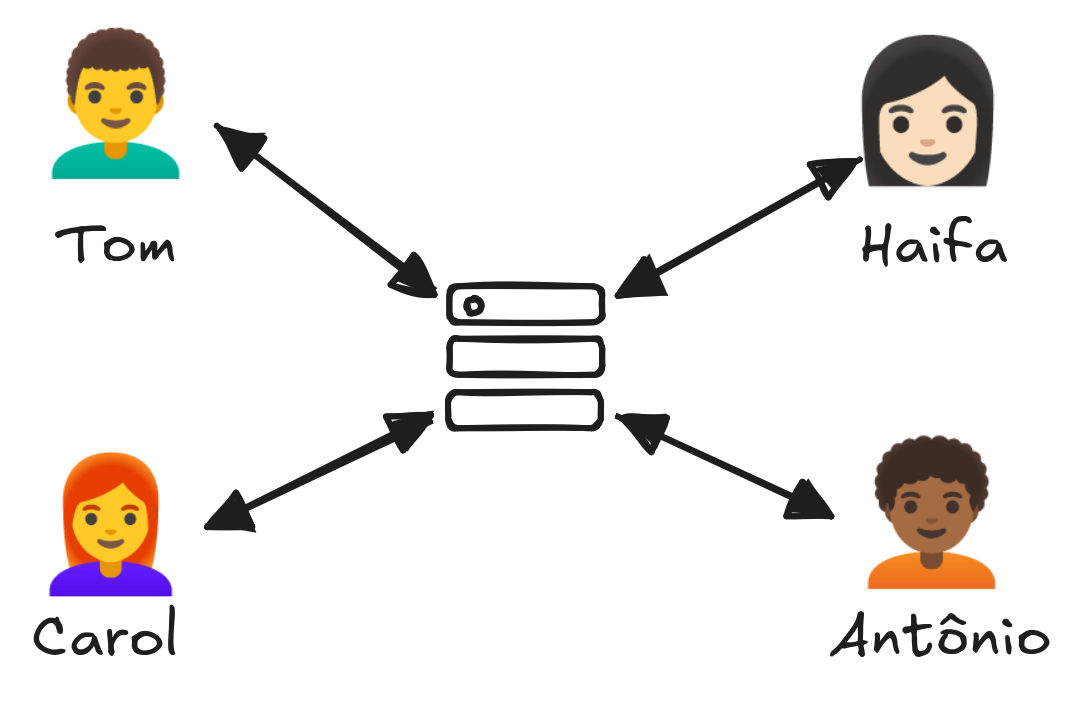
That's why the final step was introducing an SFU (Selective Forwarding Unit).
Each participant initiates a call with a central SFU service, which then forwards (routes, without decoding or re-encoding) the appropriate streams to everyone else. The upload cost per peer stays constant no matter how many participants join.
How does it work?
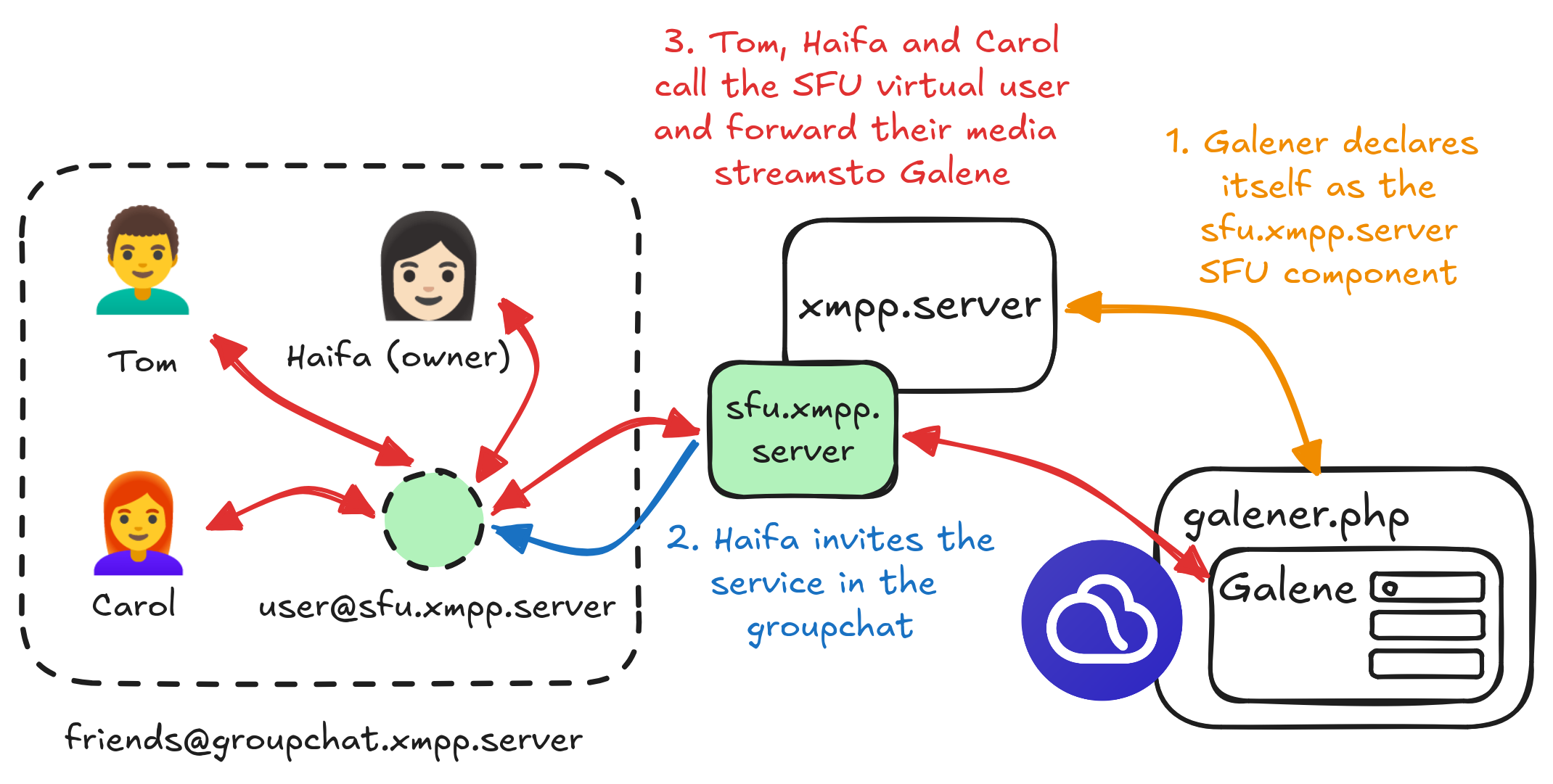
As of this release, Movim provides a dedicated XMPP service that can be plugged into any XMPP server using the widely deployed XEP-0114: Jabber Component Protocol. This service acts as an independent SFU.
This SFU component, called Movim Galener, wraps the Galene video-conferencing server and exposes it through an XMPP Jingle interface.
Once fully set up, when the Movim daemon launches, the galener.php Movim worker connects to a configured XMPP server and announces itself on the XMPP network as an SFU service for that server.
Owners of group chats hosted on that XMPP server will then see a dedicated button asking whether they'd like to invite the new SFU service into their room. If they accept, the service joins the room, and participants can then call it.

When a group chat participant wants to join the call, they call the SFU's virtual user in their room. This user then negotiates an XMPP Jingle session with them and instructs them to forward their media streams (audio and video) to the Galene SFU.
How can I set it up?
Setting up Movim Galener is straightforward and fully explained in the dedicated Galener documentation.
Here's a quick summary:
First, create a new XMPP service on your XMPP server (the same way you'd add a new Slidge transport service, for example).
Set up Galene alongside Movim.
Add the small configuration snippet below to your Movim
.envfile.
# Galener configuration
GALENER_XMPP_HOST=sfu.xmpp.server
GALENER_XMPP_PORT=5353
GALENER_XMPP_PASSWORD=<galener_password>
GALENER_GALENE_PATH=</path/to/the/galene/directory>/galene
Then restart the Movim daemon! ✨
You can also restart or check the status of Movim Galener from the console without restarting the whole Movim daemon:
$ php daemon.php galener [start|stop|restart|status]
Movim Galener reuses your XMPP server's STUN/TURN services and automatically discovers them at launch. Additional documentation explains how to make sure everything is set up correctly with ejabberd.
Et voilà ✨
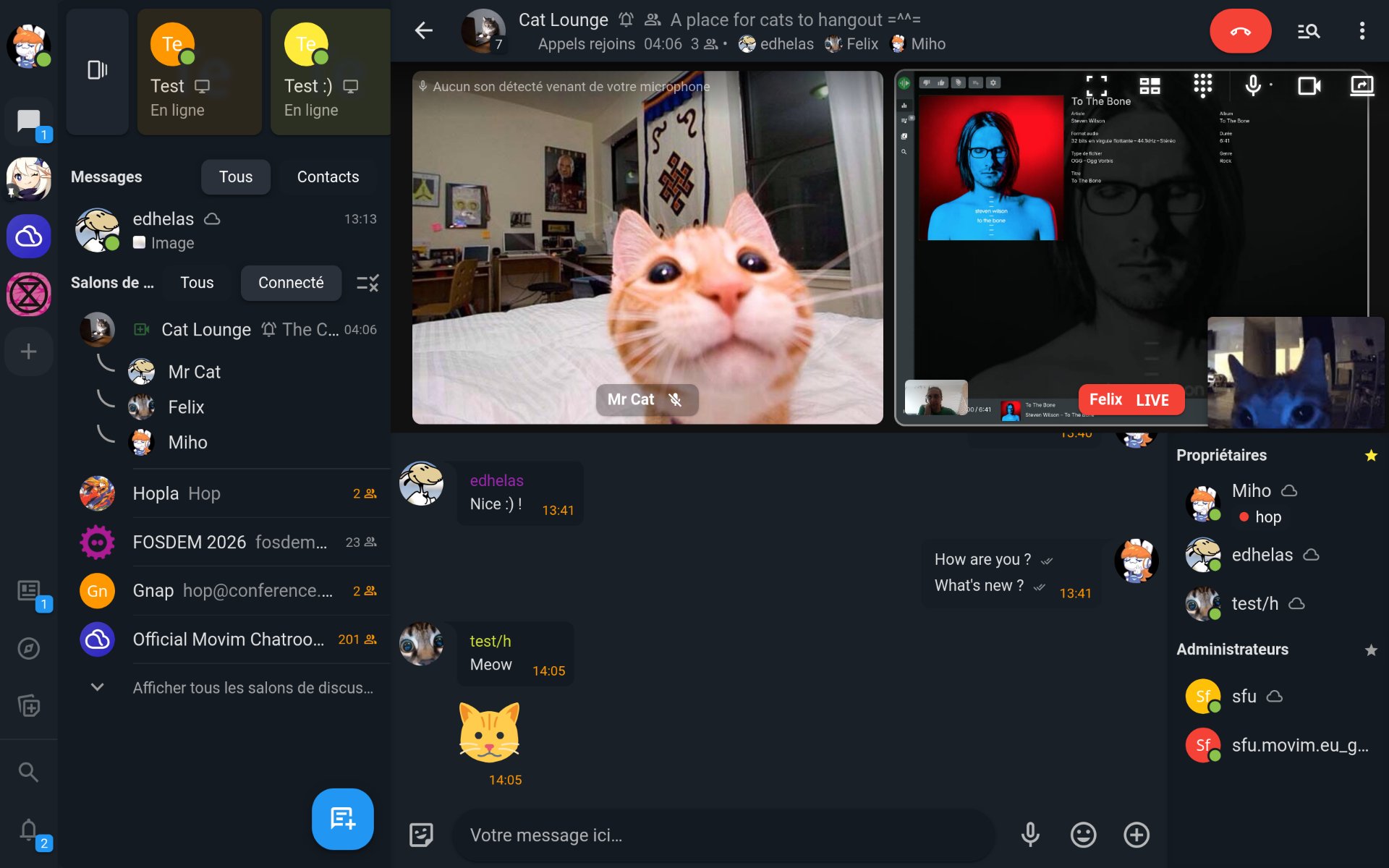
Once everything is set up, you'll be able to enable Wide Conference Calls in your groupchats and Spaces, and invite many people to join a call and share their screens.
This first implementation is fairly minimal and will be expanded in upcoming versions with more features (administration, hand-raising, audio-only calls, better status indicators, and more).
It is highly possible that some minor versions will follow in the upcomings weeks to fix issues and improve some performances.
What's next?
This big project put a few others on hold in Movim. The coming months will focus on improving existing features, especially Spaces, video-conferences, and maybe end-to-end encryption. We'll see.
In the meantime, don't forget to spread the good news, support Movim on Liberapay and Patreon, and join the Movim community 😸!
That's all, folks!