
-
Pl
chevron_right
Ivan Molodetskikh: Using Fedora Silverblue for Compositor Development
news.movim.eu / PlanetGnome • 5 June 2026 • 20 minutes
I’ve been using Fedora Silverblue on my desktop and laptop for the past, what, five years? Silverblue is Fedora’s main atomic variant, a spiritual counterpart to Fedora Workstation. I also make niri , a scrollable-tiling Wayland compositor. In other words, a core system component that you cannot properly test from inside a container or VM—you really want it directly on the host. So, why would I choose an… immutable distro? How does that even work?
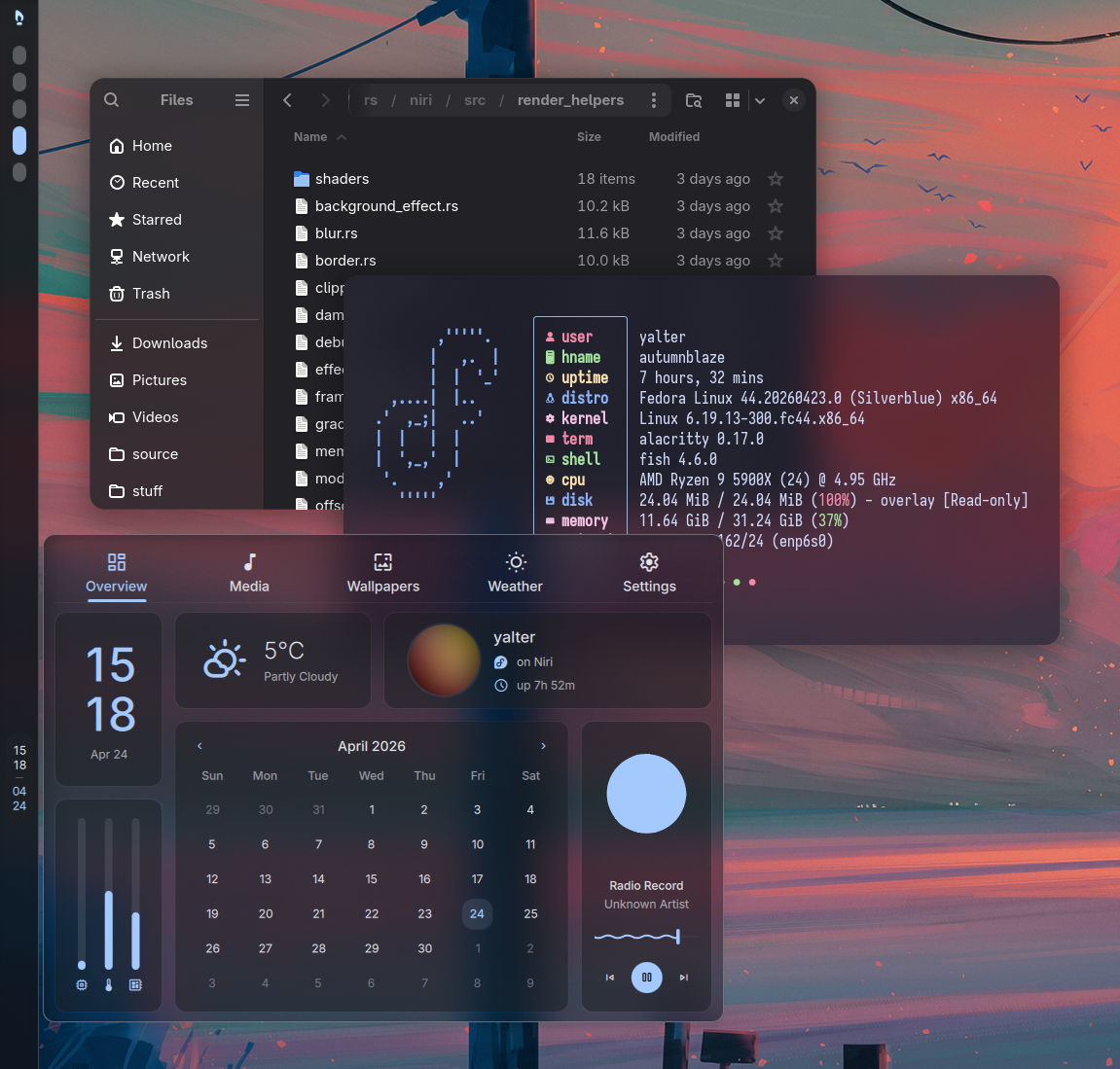
Fedora Silverblue makes a frequent occurrence in my niri release notes screenshots.
Atomic distributions have been slowly rising in popularity. Their main selling point is reliability: upgrades work by swapping the old system for the new one in one go across a reboot, rather than modifying the files in-place. Package conflicts and other errors are caught at the time of assembling the new version (in a separate folder), and therefore cannot break your running system. And if a successful update turns out buggy, atomic distros let you simply reboot back into the old version and keep using it as if nothing happened.
This “being able to reboot back” thing becomes even cooler once you realize that it works even across major distro upgrades! When the next Fedora Beta rolls around, I can just rebase my system on top of it to kick the tires, and if anything is broken, I can simply reboot back to stable Fedora (and then undo the rebase).
This is like learning about source code version control. A big weight off your mind any time you want to mess around with your OS. You can just go back .
So, by now there are plenty of atomic distributions to choose from. There’s a whole host of Fedora atomic desktops , Endless OS , the gaming-focused Bazzite and other Universal Blue images . GNOME OS Nightly is atomic, as well as SteamOS powering the Steam Deck. Many of these are built with OSTree which is something of a “git for operating system binaries”.
But, you may ask. What if I develop these operating system binaries? Aren’t atomic distros immutable and all, how do I test my work?
Turns out, this is not a problem at all! In fact, the same tech that lets you go back after an update can also let you freely tinker with your host system and safely go back after a reboot. I’d say that thanks to this ability, atomic distributions provide even more benefit for system component developers than for others, given that they’re constantly testing changes that may break their install.
So, let me show you how I do compositor development on Fedora Silverblue. We’ll start with toolbox where most of the work happens, then proceed to the fun stuff.
Toolbox #
On your immutable host system, you need a place where you can install the development environment.
Fedora Silverblue comes pre-installed with
Toolbox
, which provides just that—a terminal in a normal, mutable Fedora where you can
sudo dnf install
to your heart’s content.
Under the hood, it’s just a podman container with a whole range of things auto-mounted from the host: the Wayland socket, networking, devices, D-Bus, and everything else needed for apps to “just work” as much as possible from inside the container. You can even interact with it through podman commands:
┌ ~
└─ podman ps
CONTAINER ID  IMAGE                                         COMMAND               CREATED       STATUS         PORTS       NAMES
6ceccce5581e  registry.fedoraproject.org/fedora-toolbox:44  toolbox --log-lev...  2 months ago  Up 41 minutes              fedora-toolbox-44
Most of your development work happens here. Install all the libraries, compilers, editors, LSPs , debuggers, and the rest of the kitchen sink. Since all of this resides inside the same container, it can all talk to each other and work together.
One slightly annoying detail is that since your fully-configured editor is inside the toolbox, you can’t use it to edit files accessible only on the host (e.g. configs in
/etc
—the system inside the toolbox has its own files there), but that is honestly a fairly minor problem in practice.
Fedora Silverblue comes with
nano
, which works, and if editing host-only files is a frequent occurrence for you, you can always
rpm-ostree install
a more featureful editor.
Another annoying problem is that currently, toolbox
prevents SIGHUP from reaching apps
, so if you run
your favorite editor
then close the terminal window, it will happily keep running in the background (along with all its
rust-analyzer
s and such, eating several gigabytes of RAM).
So, running things in a toolbox works perfectly well for most development.
CLI tools will run fine, GUI apps will run fine, you can build and install libraries inside the toolbox and test them on apps inside the same toolbox.
Even with Wayland compositors, most of them can run as a window (
gnome-shell --nested
, or simply
sway
or
niri
), which is enough to test the majority of the code base.
Moreover,
since ~2023
, toolbox exposes everything necessary to run compositors on a TTY directly.
You can switch to a different VT with
Ctrl
Alt
F3
,
toolbox enter
, then start a compositor, and it will work as is.
This way you can test different input devices directly (trackpad, tablet, touchscreen), test monitor and GPU handling, do proper performance profiling, and so on.
Just remember to install a terminal and some GUI apps inside the toolbox because launching the host ones into a toolbox compositor is a bit annoying.
While toolbox is somewhat Fedora-specific, for everything else there’s distrobox . It’s a separate project, but by and large has the same idea—let you easily install different distros as podman containers with automatic host integration. I mainly use it to build or test things on Arch , but I imagine most of what I wrote above works just as well with distrobox.
What if this isn’t enough, though? Say, you’re working on a component like NetworkManager or systemd that must run on the host system. Or, you want to be able to log in to a test build of your compositor along with the rest of the full desktop session. Let’s look at an easy way to do that.
Unlocking the host #
Run
sudo ostree admin unlock
, also known as
rpm-ostree usroverlay
.
1
2
This will mount a mutable overlay filesystem over
/usr
for you to play around in.
The overlay will last until the next reboot, at which point you’ll be back to a clean working system.
Now you can simply
sudo cp
your development build into
/usr/bin
and restart the service you’re testing.
This also works with libraries. Say, you want to test your changes in GTK against apps installed on the host. 3 Build it inside the toolbox, then copy the binaries to the (unlocked) host, and there you have it. Binary compatibility is generally not a concern since Silverblue updates daily and very closely matches the regular Fedora that you build against inside the toolbox.
sudo cp
is not a proper substitute for installing though, and you cannot use it as easily for many projects.
So let’s get some proper tooling on the host.
Layering development tooling #
Contrary to an apparently widespread belief, you can install packages on the host in Silverblue.
This is called
layering
and is a perfectly normal and supported operation, primarily useful for adding system components such as terminals, window managers, or GPU drivers.
Running
rpm-ostree install alacritty
will cause rpm-ostree to install, or
layer
, this package on top of the base Silverblue image every time it updates.
After a reboot, you’ll have Fedora with
Alacritty
, as if you installed it on a regular, non-atomic system.
If the change is sufficiently non-invasive, running
sudo rpm-ostree apply-live
lets you skip the reboot and have a newly installed program available right away.
4
When should you layer (as opposed to installing in a toolbox)? Layering is more annoying and slower, and misses the benefit of throwing away a toolbox to start fresh. So, I limit layering to programs that must run on the host, and tools that I frequently need on the host.
Here’s my list of layered packages that’s been more or less unchanged for several Fedora releases:
┌ ~
└─ rpm-ostree status
State: idle
Deployments:
  fedora:fedora/42/x86_64/silverblue
                  Version: 42.20250824.0 (2025-08-24T02:55:42Z)
               BaseCommit: d58dc92e5b05b6a95a0d9352edd864f1292c1883b9b32ac2e6f0af1a2263395a
             GPGSignature: Valid signature by B0F4950458F69E1150C6C5EDC8AC4916105EF944
                     Diff: 12 upgraded
      RemovedBasePackages: firefox firefox-langpacks 142.0-1.fc42
          LayeredPackages: alacritty distrobox dnf fastfetch fish foot fuzzel gamescope gdb
                           gnome-console google-roboto-fonts htop hyprlock i3 kanshi labwc
                           langpacks-ru lm_sensors lxqt-policykit mako nautilus-python
                           netconsole-service niri perf quickshell-git rocminfo strace sway
                           syncthing sysprof tmux trash-cli waybar wlsunset
            LocalPackages: edid-asus-1-1.fc34.noarch
                Initramfs: --include /etc/initramfs-overlay /
In this output, you can find:
-
I
removed
Firefox with
rpm-ostree override remove—I prefer the official build from Flathub . - Terminals (must run on the host to access the full host filesystem 5 ): alacritty, foot, gnome-console. My preferred shell: fish. Tool I frequently need: tmux.
- Services and tools that I want to run without a toolbox: syncthing, distrobox, netconsole-service, trash-cli, htop, fastfetch, lm_sensors, rocminfo.
- Desktop components: fuzzel, hyprlock, i3, kanshi, labwc, lxqt-policykit, mako, quickshell-git, sway, waybar, wlsunset.
-
edid-asusand theinitramfs-overlayprovide the EDID for one of my monitors after AMDGPU broke it back in kernel 4.19. 6
Along with these, I layer several development tools: gdb, strace, perf, sysprof. These frequently come in handy whenever I need to debug or profile programs running on the host (or do full-system profiling in case of Sysprof ).
And then there’s dnf. What?
Layering dnf #
What is dnf, a regular Fedora package manager, doing on an immutable Silverblue host system?
By itself, it’s not very useful indeed, since it can’t modify
/usr
.
(Though, it can
dnf copr enable
, which is convenient.
rpm-ostree copr
when?)
Where dnf on the host shines, however, is when you combine it with
sudo ostree admin unlock
.
After unlocking, you can install whatever you need in the moment with dnf.
This is much faster than rpm-ostree, never requires a reboot, and in fact a reboot makes it all clean up and go away, since it was all in a transient
/usr
overlayfs.
Example workflows:
-
dnf debuginfo-installto debug/profile something on the host with symbols, report crashes, etc. -
dnf installsome host-only program to test it. Follow up withrpm-ostree installif you decide to keep it. -
dnf builddep gtk4, then build andsudo ninja installGTK 4 right on the host to test it against host apps. If anything breaks, just reboot, and you’re back to a clean working state.
Unlocking + layering dnf is a very powerful development workflow to the point where I’d almost want dnf included in Silverblue by default. Unfortunately, this workflow is also unobvious enough that the dnf maintainers accidentally prevented it from working some time ago (thankfully, quickly corrected). I understand the UX concern about having dnf visibly available when it cannot work outside this specific workflow, but perhaps Silverblue could just hide it somehow unless the host is unlocked, or rename the dnf binary?
Persistent unlocking #
Generally to put something persistently on the host, you’d just layer it with
rpm-ostree install
.
However, sometimes what you want is a
temporary
change that also
happens to persist
across reboots.
This sounds weird, but consider testing a kernel build. You want it to be temporary and easy to roll back, but you kinda have to reboot into the new kernel. And you also don’t want to spend extra time building and layering .rpms.
For this situation,
ostree admin unlock
comes with a
--hotfix
flag.
It’ll persist the temporary overlay across reboots, and will only reset itself once you explicitly make some change with
rpm-ostree
.
Note that you never lose the ability to reboot into the previous, working system.
Summing it all up #
So, this is what my development workflow looks like.
- Most work happens in one kitchen-sink toolbox that I (like to but am not required to) reinstall every Fedora release to keep cruft from building up. This includes building and running niri on a TTY.
-
After finishing a change, I unlock the host with
sudo ostree admin unlock, copy over the niri binary, and re-log in to test it in my real session. This will automatically reset upon a reboot. -
When working on a long-running branch, I’ll build a work-in-progress niri .rpm and layer it with
rpm-ostree installto persist the new version across reboots. -
I use
dnf installon the host when I want to throwaway-test something host-specific and have it automatically reset upon a reboot.
Over time I made a few small quality-of-life tweaks to smooth out some rough edges in this workflow.
For example,
toolbox enter
is a mouthful and always drops me into
bash
.
Enter
t
, a script in my
~/.local/bin/
, always available in
$PATH
:
#!/bin/bash

if [ $# -eq 0 ]; then
    command=fish
else
    command="$(printf "%q " "$@")"
fi

exec toolbox run -c fedora-toolbox-44 bash -ic "$command"
Now, typing
t
puts me in the toolbox directly into my dear
fish
shell.
Typing
t some-program "with complex" arguments | grep "and stuff"
also works as expected, with correct argument passing thanks to
printf "%q "
.
This works for .desktop files too. Say, you installed VSCode in the toolbox and got a .desktop file. Just change:
Exec=/usr/share/code/code --ozone-platform-hint=auto %F
to:
Exec=t /usr/share/code/code --ozone-platform-hint=auto %F
and it’ll run in the toolbox. (I understand distrobox handles .desktop files automatically.)
Note that I use
toolbox run
but route the command through bash.
This is necessary to get all environment variables like
$DEBUGINFOD_URLS
that distros keep stubbornly putting in
/etc/profile.d/
scripts, which of course don’t get sourced without a
bash -i
.
Another quality-of-life improvement was binding a separate hotkey to spawning a terminal directly in the toolbox. I actually noticed that most of the time, when I open a terminal, I want to be in the toolbox, so now my Super T spawns the toolbox Alacritty, while the less convenient Super Shift T spawns the host Alacritty.
Furthermore, at some point I got tired of waiting for the…
┌ ~
└─ hyperfine -w 3 --shell=none 'true' 't true'
Benchmark 1: true
  Time (mean ± σ):     411.9 µs ±  35.8 µs    [User: 248.9 µs, System: 111.3 µs]
  Range (min … max):   374.1 µs … 1147.6 µs    5794 runs

Benchmark 2: t true
  Time (mean ± σ):     257.8 ms ±   2.0 ms    [User: 3.0 ms, System: 6.1 ms]
  Range (min … max):   255.2 ms … 260.5 ms    11 runs

Summary
  true ran
  625.92 ± 54.60 times faster than t true
…extra 250 ms for
toolbox run
, and
wrote a script
that keeps Alacritty running as a daemon inside (and outside) the toolbox, making opening a new terminal window always instant.
As a bonus, this happens to fix the SIGHUP problem that I mentioned above: since Alacritty runs directly inside the toolbox, closing its window will properly close the terminal app running inside.
(Eventually I went even further and made a
tiny service
for fun that runs inside the toolbox, listens to a socket, and runs the command it receives. I only use it in .desktop files though instead of
t
to avoid the 250 ms delay.
7
)
What about other systems? #
I quite like my Silverblue setup. It very much works , and with the tools that it has, it lets me do anything that I might need.
Silverblue is not without its problems however, so I’ve been thinking about what parts of the experience I find important, and how well other distributions currently satisfy them.
1. The ability to reboot to a previous, working system. Most new atomic/immutable distros can do this since it’s the main value proposition. It’s also possible on NixOS . On traditional distros I think you can get something close with btrfs snapshots, but it requires a complex setup.
A/B updates tie closely into this, where rather than mutating the running system, an update is prepared in a separate folder, then atomically swapped with the previous system version (which remains available to boot into should something go awry).
2. Anti-hysteresis. The host system always stays clean, packages don’t build up over time.
On a normal distro, a few months is enough for you to scarcely have any idea about all the random one-off packages you installed and forgot about, especially various development tooling and build dependencies
not to mention the texlive-full installation
.
They use up disk space and time during system updates, sometimes cause conflicts and other annoying issues.
Config migrations build up, and your system gradually drifts away from a clean well-tested upstream state.
Immutable distros solve this by not letting you install stuff on the host, and every updated rebuild of the host system starts from a fresh state, so there’s no accumulation of junk.
NixOS and Silverblue do let you add (layer) packages, so they can build up, but:
- they make it sufficiently annoying, making you prefer non-host environments such as toolbox for one-off packages;
- even with layered packages, the system is rebuilt from a fresh state every update.
Technically, you could use toolbox for everything even on a normal Fedora Workstation, but this requires discipline and doesn’t save you from config migrations, SELinux labeling changes, etc.
3. The ability to easily install things on the host. This is the part where many newer immutable distros fail to provide a good experience. I need to install programs on the host, whether it’s because I want some host desktop components, or to test my own compositor, or whatever.
Often, I want to install something on the host quickly . For distros such as Universal Blue spins and other bootc -based systems, the suggested way to include components on the host is making your own downstream spin. But this works only for long-term packages: I don’t want to spend time editing and kicking off a full system build just to test some new terminal or notification daemon, not to mention the whole question of how to keep such a custom system always up to date with its base distro.
Compare this with
rpm-ostree install
on Silverblue: one command, slow but tolerable, and the OS remains automatically updated with no extra setup.
Some systems are even more limited, like GNOME OS which is based on the Freedesktop SDK . The selection of tools and libraries available in the Freedesktop SDK is (intentionally) much more limited compared to most distros, so in many cases you’ll find yourself having to go and build whatever you need from source. If that happens to be something big and complex like Qt (to try a hot new Quickshell -based desktop): good luck; I hope you didn’t have plans for the weekend.
A common suggestion for these OSes is systemd-sysext that lets you build an image and overlay it over /usr. Florian Müllner gave a talk at the 2025 GUADEC showing a nice workflow for using sysexts for Mutter and GNOME Shell development and testing on immutable distros.
It’s also possible to enforce system version compatibility checks in sysexts. A system like GNOME OS could build and ship a collection of sysexts version-locked to the runtime they were built against, and automatically updated together with the rest of the system using systemd-sysupdate, resulting in an experience similar to layered packages. (In fact, GNOME OS does have that, just the selection of sysexts is fairly small.)
Some software can be packaged into self-contained sysexts that work on most distros. The Flatcar sysext-bakery is one repository of such sysexts.
What’s wrong then? Well, the main limitation of sysexts is that they are meant for tools without dependencies. They do not do any dependency resolution or support any dependencies other than, optionally, the base OS itself. Back to my example, while it’s possible to build and ship sysexts for Qt apps that bundle Qt itself, all of those sysexts will carry their own copies of Qt. Even worse, since they are mounted into the same filesystem tree, conflicting files (say, different-version Qt binaries) will get mounted only from one of the sysexts, whichever one happens to mount last. So sysexts aren’t a complete replacement for packages (nor are they intended to be).
4. The ability to make transient changes to the host.
While I don’t immediately see why you couldn’t put a writable overlay on any regular distro like what
ostree admin unlock
does, I haven’t seen anyone doing it, or any simple “no thinking necessary” tools for it.
1
Perhaps it’s too easy to mess up outside immutable systems?
It’s worth noting that some paths like
/etc
aren’t usually covered by immutability and overlays, so you still need to be a bit careful.
Conclusion #
All in all, Silverblue appears to be a sweet spot between offering immutable/atomic guarantees with plenty of useful tooling bundled in, while also being a normal Fedora with a wide package selection available for both persistent layering and quick transient installation. I appreciate the QA and other behind-the-scenes work that goes into my ability to install Silverblue and be reasonably sure that it will work, and keep working, with all of my hardware, and that I won’t have to hunt for packages to get a working bluetooth or what have you. My Silverblue installs are the longest I’ve kept any single distro, and I have no urge to reinstall because my host system remains clean and I know exactly what it comprises.
My issues with Silverblue mostly boil down to some rough edges and slowness of
rpm-ostree
, and some less than ideal Flatpak repository defaults.
Having to do most of the work in a container is somewhat annoying at times, especially when dealing with nested containerization or VMs.
But I’m not sure there’s a better way fundamentally, without trading host system robustness.
For the few things that do require it, I can always unlock the host.
I hope this post sheds some light on immutable system workflows and perhaps inspires you to try one. I’d also love to hear your feedback and suggestions! Did I miss something? Is there a better way of doing things? A new system that solves all problems and makes everything better? Please reach out to me on Mastodon or by email, linked at the bottom of the page!
-
I’m told the modern alternative is
systemd-sysext merge --mutable=ephemeral, which works across all distros and not just Silverblue. Haven’t tried it myself yet! ↩︎ ↩︎ -
I didn’t quite realize this before, but
rpm-ostree usroverlayseems to literally execostree admin unlock:
↩︎┌ ~ └─ rpm-ostree usroverlay -h Usage: ostree admin unlock [OPTION…] Make the current deployment mutable (as a hotfix or development) (...) ┌ ~ └─ rpm-ostree usroverlay --version libostree: Version: '2025.4' Git: 99a03a7bb8caa774668222a0caace3b7e734042e (...) -
Which is, uhh, not a lot of apps come to think of it. Nautilus, Ptyxis, Software, System Monitor, Settings, xdg-desktop-portal-gnome dialogs—the rest come as Flatpaks on Silverblue. How to test your GTK changes against those Flatpak apps? Uhhhhhh ↩︎
-
For years, it’s been
rpm-ostree ex apply-live, whereexstood for experimental . I guess I’ve been procrastinating on this blogpost long enough that it had time to graduate to non-experimentalrpm-ostree apply-live. ↩︎ -
The Ptyxis terminal can work properly on the host even when installed as a Flatpak. It does this by spawning a small binary on the host (through a host-run permission) that does all command spawning and PTY communication, while the Ptyxis GUI remains inside Flatpak. This is a clever workaround, but requires a sandbox hole and very careful engineering, and arguably runs somewhat at odds with the point of Flatpak. ↩︎
-
Since writing that example, I replaced that monitor and finally got rid of the custom initramfs. This is faster because without overrides, Silverblue directly uses an initramfs built on Fedora servers, and I think it also works better with secure boot? Either way, I wanted to leave it in as an example that you can customize the initramfs on Silverblue if needed. ↩︎
-
See for yourself:
↩︎┌ ~ └─ hyperfine -w 3 --shell=none 't true' 'true' 'tb true' Benchmark 1: t true Time (mean ± σ): 259.5 ms ± 3.6 ms [User: 2.9 ms, System: 6.2 ms] Range (min … max): 255.7 ms … 266.6 ms 11 runs Benchmark 2: true Time (mean ± σ): 408.7 µs ± 34.2 µs [User: 248.6 µs, System: 107.1 µs] Range (min … max): 370.2 µs … 1152.8 µs 6665 runs Benchmark 3: tb true Time (mean ± σ): 462.8 µs ± 41.7 µs [User: 264.2 µs, System: 135.6 µs] Range (min … max): 399.2 µs … 786.4 µs 6688 runs Summary true ran 1.13 ± 0.14 times faster than tb true 635.00 ± 53.80 times faster than t true