
-
Pl
chevron_right
ProcessOne: Fluux Messenger 0.18.3: join the iOS beta, and see your unread conversations at a glance
news.movim.eu / PlanetJabber • 18:01 • 3 minutes

If you are discovering Fluux, it is an open-source XMPP client for teams, communities, and anyone who wants control over their communications. The iPhone and iPad version is experimental, and it is the right moment to shape it: your feedback decides what we fix first.
How to join the iOS beta
- Install TestFlight from the App Store, if it is not already on your iPhone. It is Apple&aposs free app for beta testing.
- Open the public invitation link on your iPhone: Join the Fluux Messenger beta.
- Tap Accept, then Install. Fluux runs on iOS 15 or later; the widget needs iOS 17 or later.
- Sign in with your XMPP account and open Fluux. Add the widget from the home screen (touch and hold, then the plus button, then Fluux).
- Tell us what you find. In TestFlight, tap Send Beta Feedback, or open an issue on GitHub.
Beta builds can be unstable, and TestFlight builds expire after 90 days, so keep TestFlight installed to receive updates.
What you can try: the iOS widget
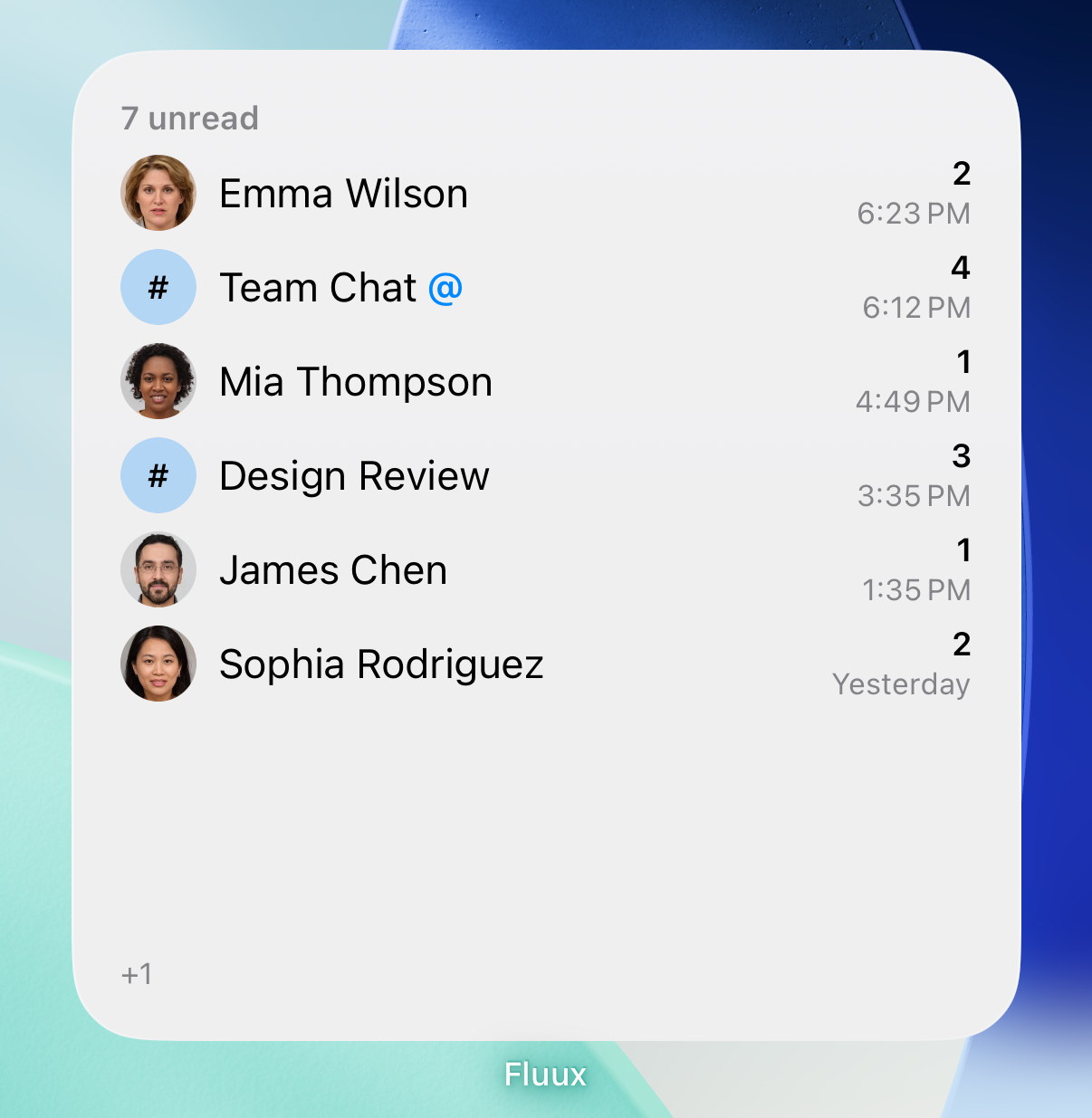
The widget shows your unread conversations on the home screen. The lock screen shows your unread total. Tap a row to open that conversation. Message text is never shown: the widget tells you who is waiting for you, not what they said.
We would especially like to hear whether the widget refreshes when you expect, whether the unread counts match the app, and how it behaves after a restart or a long time without opening Fluux.
Also in 0.18.3
A widget for your Mac desktop
The macOS widget lists your unread conversations with names, avatars, unread counts, mention markers and times. Clicking a row opens that conversation in Fluux. As on iPhone, message text is left out. If Fluux stops updating the saved list, for example because the app is no longer running, the widget marks the old list so you do not mistake it for fresh information.

Notifications that tell you who wrote
On macOS, message notifications now show the sender, along with the room details for room messages, in the way other chat apps do. On iOS, room notifications show the room picture, with the room name first and the sender above the message.
A safer OpenPGP backup
Importing an OpenPGP key file now checks that your server backup matches it. You see a clear status when the backup is not confirmed, and a warning before you replace it. Rotating a key refreshes the backup and gives you a new code.
On macOS, Fluux cleans up old keychain copies without asking for access again, and keeps any copy that differs, so you never lose a secret. A keychain prompt waiting for your answer no longer blocks saving other secrets, such as your encrypted OpenPGP key.
Reading stays where you left it
Scrolling and reading position have kept improving since 0.18.1, and 0.18.3 continues.
Scrolling up in conversations and rooms no longer jumps or skips messages when Fluux corrects its size estimate for older messages.
You can now read back to the very start of a long conversation, past the latest 5,000 messages, without getting stuck. The message you are reading stays put when older messages finish loading, when media finishes loading, and while a conversation grows.
On macOS, reading a conversation or room also clears notifications that arrived before Fluux was last restarted.
Get Fluux Messenger
Download Fluux Messenger for macOS, Windows, and Linux, or visit the Fluux Messenger page to explore the app and try it in your browser. iPhone and iPad testers: use the TestFlight link above.
See the full 0.18.3 release notes for the complete list of changes.
If something still feels off, tell us. Bug reports and feature requests both go to GitHub Issues.