• Pl chevron_right

      Christian Hergert: pgsql-glib

      news.movim.eu / PlanetGnome • 2 January 2026

    Much like the s3-glib library I put together recently , I had another itch to scratch. What would it look like to have a PostgreSQL driver that used futures and fibers with libdex? This was something I wondered about more than a decade ago when writing the libmongoc network driver for 10gen (later MongoDB).

    pgsql-glib is such a library which I made to wrap the venerable libpq PostgreSQL state-machine library. It does operations on fibers and awaits FD I/O to make something that feels synchronous even though it is not.

    It also allows for something more “RAII-like” using g_autoptr() which interacts very nicely with fibers.

    API Documentation can be found here.

    • Pl chevron_right

      Felipe Borges: Looking for Mentors for Google Summer of Code 2026

      news.movim.eu / PlanetGnome • 2 January 2026

    It is once again that pre-GSoC time of year where I go around asking GNOME developers for project ideas they are willing to mentor during Google Summer of Code . GSoC is approaching fast, and we should aim to get a preliminary list of project ideas by the end of January.

    Internships offer an opportunity for new contributors to join our community and help us build the software we love.

    @Mentors , please submit new proposals in our Project Ideas GitLab repository .

    Proposals will be reviewed by the GNOME Internship Committee and posted at https://gsoc.gnome.org/2026 . If you have any questions, please don’t hesitate to contact us .

    • Pl chevron_right

      Jussi Pakkanen: New year, new Pystd epoch, or evolving an API without breaking it

      news.movim.eu / PlanetGnome • 2 January 2026 • 1 minute

    One of the core design points of Pystd has been that it maintains perfect API and ABI stability while also making it possible to improve the code in arbitrary ways. To see how that can be achieved, let's look at what creating a new "year epoch" looks like. It's quite simple. First you run this script pystdscript.png

    Then you add the new files to Meson build targets (I was too lazy to implement that in the script). Done. For extra points there is also a new test that mixes types of pystd2025 and pystd2026 just to verify that things work.

    As everything is inside a yearly namespace (and macros have the corresponding prefix) the symbols do not clash with each other.

    At this point in time pystd2025 is frozen so old apps (of which there are, to be honest, approximately zero) keep working forever. It won't get any new features, only bug fixes. Pystd2026, on the other hand, is free to make any changes it pleases as it has zero backwards compatibility guarantees.

    Isn't code duplication terribly slow and inefficient?

    It can be. Rather than handwaving about it, lets measure. I used my desktop computer which has an AMD Ryzen 7 3700X.

    Compiling Pystd from scratch and running the test suite (with code for both 2025 and 2026) in both debug and optimized modes takes 3 seconds in total (1s for debug, 2s for optimized). This amounts to 2*13 compiler invocations, 2 static linker invocations and 2*5 dynamic linker invocations.

    Compiling a helloworld with standard C++ using -O2 -g also takes 3 seconds. This amounts to a single compiler invocation.

    • Pl chevron_right

      This Week in GNOME: #230 Happy New Year!

      news.movim.eu / PlanetGnome • 2 January 2026 • 4 minutes

    Update on what happened across the GNOME project in the week from December 19 to January 02.

    GNOME Core Apps and Libraries

    Image Viewer (Loupe) ↗

    Browse through images and inspect their metadata.

    Sophie (she/her) announces

    Image Viewer (Loupe) 48.2 and 49.2 have been released with the following fixes:

    • Considerably increased speed for listing other images in folders, especially for remote locations. This allows for switiching to other images to become available much quicker.
    • Fix panics, probably occuring when using an action like ‘copy’, and then closing the window. The crash causes all other windows to close.
    • Fix the creation date for images that don’t provide a timezone. It was displayed as if the recorded date and time was in UTC.
    • Fix zooming in not working via the zoom menu if the resulting zoom state would still fit the image inside the window.
    • Check if the is-hidden property is available before reading it. This avoids warnings being printed when browsing images on remote locations.
    • Fix the missing beginning of user comments in the metadata.

    Loupe 50.alpha has been released as well with better error messages when files cannot be read, design fixes for always visible scrollbars (a11y), and added a limit to the zoom-out, such that the image is still visible.

    Glycin 2.1.alpha was released with XPM and XBM support, making it possible to remove the last unsandboxed image loader on Fedora.

    Maps ↗

    Maps gives you quick access to maps all across the world.

    mlundblad says

    Maps has seen some redesigns for GNOME 50. Place information is now shown in the sidebar (which has moved to the left) on desktop, and using a bottom sheet on mobile (using an AdwMultiLayout). Also public transit itinerary displaying has seen a redesign, using flow boxes for the overview list (with possibly multiple lines displaying long journeys with many legs), and “track segments” when showing details about a trip, displayed using the line colors

    place-info-sidebar.CHnMFICp_rI3iD.webp

    place-info-mobile.DOD8rk3U_Z1bfq0E.webp

    transit-itinerary-overview.Di3fKMYJ_Xaa0P.webp

    transit-journey-details.BUBUQ7_G_BK9LO.webp

    GNOME Circle Apps

    Ignacy Kuchciński (ignapk) announces

    Constrict by Wartybix was accepted into GNOME Circle!

    It compresses your videos to your chosen file size — useful for uploading to services with specific file size limits.

    Congratulations and welcome! 🎉

    https://flathub.org/apps/io.github.wartybix.Constrict

    io.github.wartybix.Constrict.CWEYsuZg_1YUAnL.webp

    Third Party Projects

    vallabhvidy announces

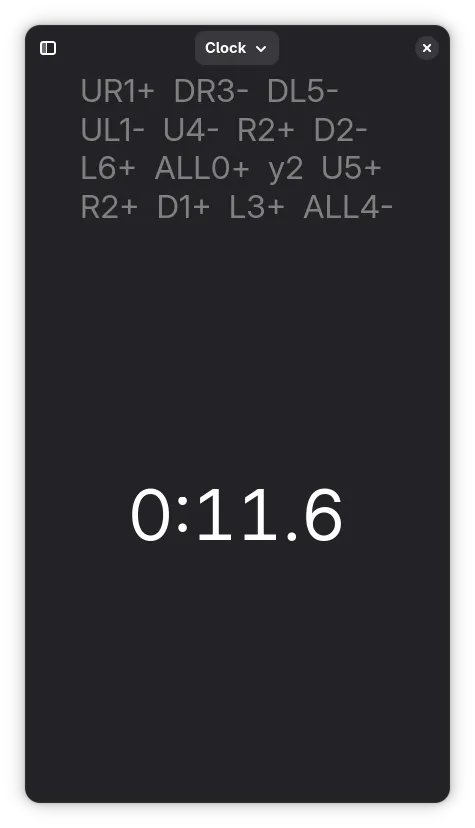
    Happy new year 🥳🥳 The first minor release (v0.2.0) of Cube Timer was released on 1st January 🥳 Since the last TWIG update, the app has received a number of improvements and new features:

    • Support for 2×2, 4×4, 5×5, 6×6, 7×7, Skewb, Megaminx, Pyraminx, and Clock.

    • The user interface is now responsive and adapts to phone size.

    • New preferences were added to customize timer behavior and interface.

      cube_timer_mobile.DJyTtYCx_hsEXP.webp

    Alexander Vanhee reports

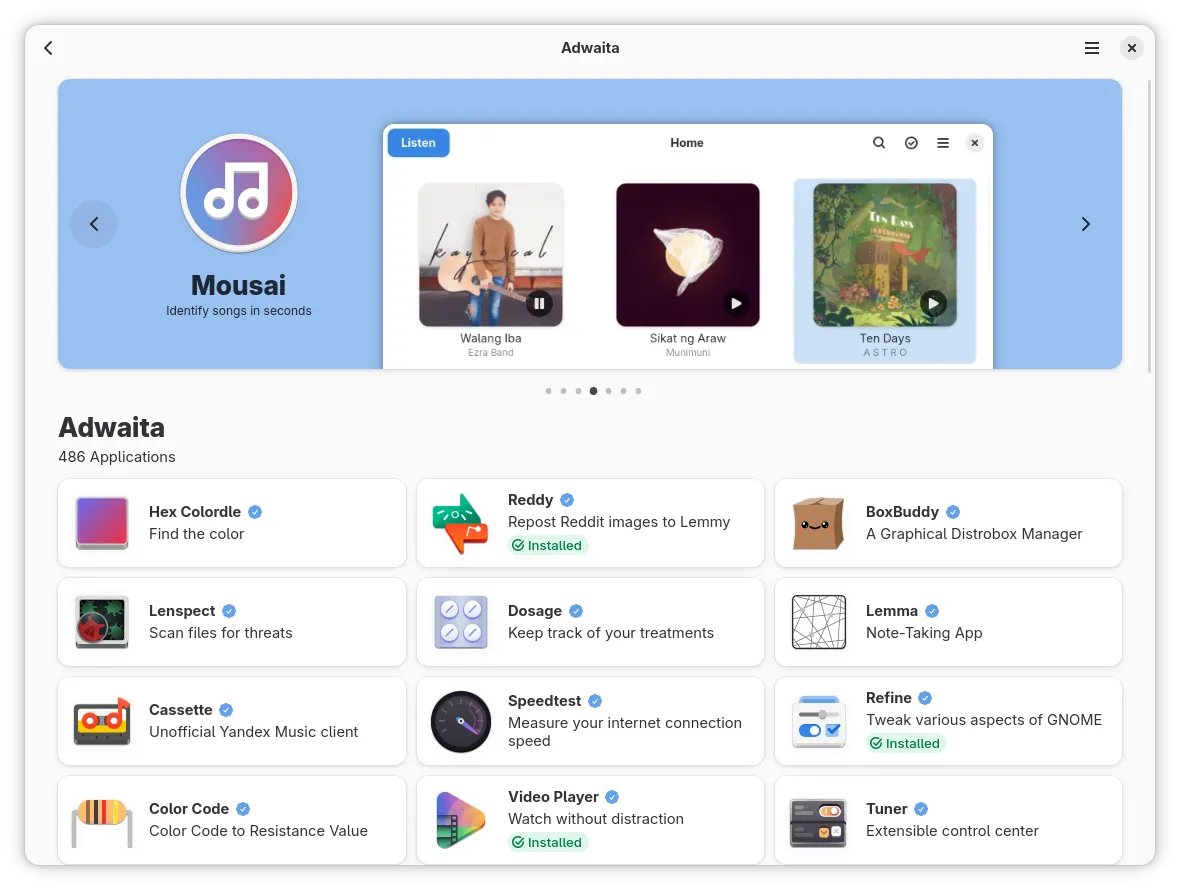
    Just before the new year, the Bazaar app store received its 0.7.0 update, bringing features like Flathub account support and a category with apps for your desktop environment.

    Flathub account support allows you to log in using any login method supported by Flathub. You can then bookmark apps on their pages for easy access in the future, which is ideal for keeping track of apps you want to hold onto after a reinstall.

    On the category page, you will now find a new tile for either “Adwaita” or “KDE”. The Adwaita tile allows you to view all the apps listed on arewelibadwaitayet , while the KDE tile shows all apps published by the KDE project.

    Later in the week, I looked into adding support for displaying app permissions, helping you better understand how apps break the sandbox.

    Lastly, we switched our app icon after hearing that the old “tag” icon was confusing for new users on distros where the app is preinstalled, with the added benefit that the new icon better fits the idea of a bazaar.

    bazaar-adwaita.CVR8uqcf_1I4gm8.webp

    bazaar-flathub-login.kowjQn2c_nRoPi.webp

    bazaar-permissions.D74BRJGb_Z2eQYFh.webp

    bazaar-new-logo.CphgZ7o0_16Xdf6.webp

    Gir.Core ↗

    Gir.Core is a project which aims to provide C# bindings for different GObject based libraries.

    Marcel Tiede says

    GirCore development update: First Bits for GTK composite template support just landed. See sample . Binding for template children is still missing and more support from source generators will be added. Stay tuned for more updates along the way.

    Miscellaneous

    Guillaume Bernard reports

    Merge Requests pushes are now available in GNOME Damned Lies! We recently updated the workflow in Damned Lies and you can now set the type of push of each module (direct push [the original way], GitLab Merge Request, GitHub Pull Request). At the moment, you will have to ask one of the coordinators to change the type of push for each module.

    What will happen to the original workflow? Nothing for translators and/or reviewers but a very small change for commiters. When committing, if the module’s configuration requires a Merge Request or a Pull Request, a new branch will be creating from the branch you’re translating. For instance, a new branch update-translation-fr-from-gnome-48 is created, push to the repository and a merge request is then opened through the command line. We retrieve the link to the merge request and post it as a comment in the workflow. Workflow now has another, new, state: « Merge Request is Waiting Approval ».

    There are more things to do with this feature: automatically archive the workflow when the commit is merged, track all the merge requests for a module, allow module maintainers to update this setting themselves, etc. But it requires more changes and, as usual, contributions are welcome!

    Sophie (she/her) says

    I wrote a blog post with some fun numbers about GNOME: GNOME in 2025: Some Numbers

    Events

    Kristi Progri reports

    We are happy to announce that GUADEC 2026 will be held in A Coruña, Spain! For more information, please check the link: https://discourse.gnome.org/t/guadec-2026-to-be-held-in-a-coruna-spain/33193

    That’s all for this week!

    See you next week, and be sure to stop by #thisweek:gnome.org with updates on your own projects!

    • Pl chevron_right

      Lennart Poettering: Mastodon Stories for systemd v259

      news.movim.eu / PlanetGnome • 30 December 2025 • 1 minute

    On Dec 17 we released systemd v259 into the wild .

    In the weeks leading up to that release (and since then) I have posted a series of serieses of posts to Mastodon about key new features in this release, under the #systemd259 hash tag. In case you aren't using Mastodon, but would like to read up, here's a list of all 25 posts:

    I intend to do a similar series of serieses of posts for the next systemd release (v260), hence if you haven't left tech Twitter for Mastodon yet, now is the opportunity.

    My series for v260 will begin in a few weeks most likely, under the #systemd260 hash tag.

    In case you are interested, here is the corresponding blog story for systemd v258 , here for v257 , and here for v256 .

    • Pl chevron_right

      Christian Hergert: Experimenting with S3 APIs

      news.movim.eu / PlanetGnome • 29 December 2025

    My Red Hat colleague Jan Wildeboer made some posts recently playing around with Garage for S3 compatible storage. Intrigued by the prospect, I was curious what a nice libdex -based API would look like.

    Many years ago I put together a scrappy aws-glib library to do something similar but after changing jobs I failed to find any free time to finish it. S3-GLib is an opportunity to do it better thanks to all the async/future/fiber support I put into libdex.

    I should also mention what a pleasure it is to be able to quickly spin up a Garage instance to run the testsuite.

    • Pl chevron_right

      Sam Thursfield: Musical update

      news.movim.eu / PlanetGnome • 27 December 2025 • 2 minutes

    Like many software engineers, I sometimes see my career as 20 years of failing to become a professional musician. Although its true that in the software industry we get to stay in better hotels than most independent musicians can afford. And we rarely have to work Saturday nights.

    Its difficult to combine two passions sometimes, but I am thankful for these opportunities to part of great independent music projects… it’s always fascinating to make music and see people connecting with it, however that is.

    Here are some highlights from 2025.

    Note: the embedded videos below seem to disappear in RSS feeds.. thanks WordPress.

    Muaré

    If you like funk , then here’s a tune for you by Muaré . Available on all streaming platforms and also here on Bandcamp . Despite being a trombonist, on this tune you can hear me playing Hammond organ Yamaha Reface YC organ… one of the word’s most fun instruments to play.

    URL: https://youtu.be/ml9DIaIMwik

    Brais Ninguén and Couto 90

    If you’re after reggae then have a whole new album, which just came out yesterday, by Brais Ninguen and Couto 90 . That’s myself on trombone. First time I’ve participated in a full album project, and the first time I’ve made noises that will be scratched onto a vinyl record. Decades of listening to ska and reggae finally put to good use!

    The full album is out on Spotify and other streaming platforms, or you can hear a couple of tunes on Bandcamp under the name “Phase II” .

    URL: https://youtu.be/8NsMjjsM2ls


    This was recorded in the amazing Escusalla Sonora studio in the Galician mountains, with Javier Vicalo who is something of a legend in the reggae scene. Check out his discography for more great reggae.

    Rafael Briceño

    Finally here’s a tune from Rafael Briceño, a talented musician from Venezuela who is recording an entire album in video form, under the name “Ensarta”. This one was a challenge. I’ve been doing my best to listen to Willie Colon and Ruben Blades but I don’t have decades of salsa experience to draw on. You don’t make great art without leaving your comfort zone though!

    URL: https://youtu.be/sHxPwsCIMcc

    If you like Rafa’s music.. which is likely… you can find a whole album named “De Regreso A Casa” on Spotify from a few years ago.

    Here is to more music in 2026. Go make some art!!

    • Pl chevron_right

      Sophie Herold: GNOME in 2025: Some Numbers

      news.movim.eu / PlanetGnome • 27 December 2025 • 3 minutes

    As some of you know, I like aggregating data. So here are some random numbers about GNOME in 2025. This post is not about making any point with the numbers I’m sharing. It’s just for fun.

    So, what is GNOME? In total, 6 692 516 lines of code. Of that, 1 611 526 are from apps. The remaining 5 080 990 are in libraries and other components, like the GNOME Shell. These numbers cover “the GNOME ecosystem,” that is, the combination of all Core, Development Tools, and Circle projects. This currently includes exactly 100 apps. We summarize everything that’s not an app under the name “components.”

    GNOME 48 was at least 90 % translated for 33 languages. In GNOME 49 this increased to 36 languages. That’s a record in the data that I have, going back to GNOME 3.36 in 2020. The languages besides American English are: Basque, Brazilian Portuguese, British English, Bulgarian, Catalan, Chinese (China), Czech, Danish, Dutch, Esperanto, French, Galician, Georgian, German, Greek, Hebrew, Hindi, Hungarian, Indonesian, Italian, Lithuanian, Persian, Polish, Portuguese, Romanian, Russian, Serbian, Serbian (Latin), Slovak, Slovenian, Spanish, Swedish, Turkish, Uighur, and Ukrainian. There are 19 additional languages that are translated 50 % or more. So maybe you can help with translating GNOME to Belarusian, Catalan (Valencian), Chinese (Taiwan), Croatian, Finnish, Friulian, Icelandic, Japanese, Kazakh, Korean, Latvian, Malay, Nepali, Norwegian Bokmål, Occitan, Punjabi, Thai, Uzbek (Latin), or Vietnamese in 2026?

    Talking about languages. What programming languages are used in GNOME? Let’s look at GNOME Core apps first. Almost half of all apps are written in C. Note that for these data, we are counting TypeScript under JavaScript.

    C: 44.8%, Vala: 20.7%, Rust: 10.3%, Python: 6.9%, JavaScript: 13.8%, C++ 3.45%. Share of GNOME Core apps by programming language.

    The language distribution for GNOME Circle apps looks quite different with Rust (41.7 %), and Python (29.2 %) being the most popular languages.

    C: 6%, Vala, 13%, Rust 42%, Python 29%, JavaScript 10%, Crystal 1% Share of GNOME Circle apps by programming language.

    Overall, we can see that with C, JavaScript/TypeScript, Python, Rust, and Vala, there are five programming languages that are commonly used for app development within the GNOME ecosystem.

    But what about components within GNOME? The default language for libraries is still C. More than three-quarters of the lines of code for components are written in it. The components with the largest codebase are GTK (820 000), GLib (560 000), and Mutter (390 000).

    Lines of code for components within the GNOME ecosystem.

    But what about the remaining quarter? Line of code are of course a questionable metric. For Rust, close to 400 000 lines of code are actually bindings for libraries. The majority of this code is automatically generated. Similarly, 100 000 lines of Vala code are in the Vala repository itself. But there are important components within GNOME that are not written in C: Orca, our screen reader, boasts 110 000 lines of Python code. Half of GNOME Shell is written in JavaScript, adding 65 000 lines of JavaScript code. Librsvg and glycin are libraries written in Rust, that also provide bindings to other languages.

    We are slowly approaching the end of the show. Let’s take a look at the GNOME Circle apps most popular on Flathub. I don’t trust the installation statistics on Flathub, since I have seen indications that for some apps, the number of installations is surprisingly high and cyclic. My guess is that some Linux distribution is installing these apps regularly as part of their test pipeline. Therefore, we instead check how many people have installed the latest update for the app. Not a perfect number either, but something that looks much more reliable. The top five apps are: Blanket, Eyedropper, Newsflash, Fragments, and Shortwave. Sometimes, it needs less than 2 000 lines of code to create popular software.

    And there are 862 people supporting the GNOME Foundation with a recurring donation. Will you join them for 2026 on donate.gnome.org ?

    • Pl chevron_right

      Joan Torres López: Remote Login Design

      news.movim.eu / PlanetGnome • 23 December 2025 • 3 minutes

    GNOME 46 introduced remote login. This post explores the architecture primarily through diagrams and tables for a clearer understanding.

    Components overview


    There are 4 components involved: the remote client, the GRD dispatcher daemon, the GRD handover daemon and the GDM daemon:

    Component Type Responsibility
    Remote Client Remote User Connects remotely via RDP. Supports RDP Server Redirection method.
    Dispatcher GRD System-level daemon Handles initial connections, peeks routing token and orchestrates handovers.
    Handover GRD User-level daemon Runs inside sessions (Greeter or User). Provides remote access of the session to the remote client.
    GDM GDM System-level daemon Manages Displays and Sessions (Greeter or User).

    API Overview


    The components communicate with each other through dbus interfaces:

    Exposed by GDM

    org.gnome.DisplayManager.RemoteDisplayFactory

        • Method CreateRemoteDisplay
          Requests GDM to start a headless greeter. Accepts a RemoteId argument.

    org.gnome.DisplayManager.RemoteDisplay

      • Property RemoteId
        The unique ID generated by the Dispatcher.
      • Property SessionId
        The session ID of the created session wrapped by this display.

    Exposed by GRD Dispatcher

    org.gnome.RemoteDesktop.Dispatcher

      • Method RequestHandover
        Returns the object path of the Handover interface matching the caller’s session ID.

    org.gnome.RemoteDesktop.Handover

    Dynamically created. One for each remote session.

      • Method StartHandover
        Initiates the handover process. Receives one-time username/password, returns certificate and key used by dispatcher.
      • Method TakeClient
        Gives the file descriptor of the remote client’s connection to the caller.
      • Signal TakeClientReady
        Informs that a file descriptor is ready to be taken.
      • Signal RedirectClient
        Instructs the source session to redirect the remote client to the destination session.

    Flow Overview


    Flow phase 1: Initial connection to greeter session

    1. Connection:

      • Dispatcher receives a new connection from a Remote Client . Peeks the first bytes and doesn’t find a routing token. This means this is a new connection.

    2. Authentication:

      • Dispatcher authenticates the Remote Client using system level credentials.

    3. Session Request:

      • Dispatcher generates a unique remote_id (also known as routing token), and calls CreateRemoteDisplay() on GDM with this remote_id .

    4. Registration:

      • GDM starts a headless greeter session.
      • GDM exposes RemoteDisplay object with RemoteId and SessionId .
      • Dispatcher detects new object. Matches RemoteId . Creates Handover D-Bus interface for this SessionId .

    5. Handover Setup:

      • Handover is started in the headless greeter session.
      • Handover calls RequestHandover() to get its D-Bus object path with the Handover interface.
      • Handover calls StartHandover() with autogenerated one-time credentials. Gets from that call the certificate and key (to be used when Remote Client connects).

    6. Redirection (The “Handover”):

      • Dispatcher performs RDP Server Redirection sending the one-time credentials, routing token ( remote_id ) and certificate.
      • Remote Client disconnects and reconnects.
      • Dispatcher peeks bytes; finds valid routing token.
      • Dispatcher emits TakeClientReady on the Handover interface.

    7. Finalization:

      • Handover calls TakeClient() and gets the file descriptor of the Remote Client ‘s connection.
      • Remote Client is connected to the headless greeter session.

    Flow phase 2: Session transition (from greeter to user)

    1. Session Creation:

      • User authenticates.
      • GDM starts a headless user session.

    2. Registration:

      • GDM exposes a new RemoteDisplay with the same RemoteId and a new SessionId .
      • Dispatcher detects a RemoteId collision.
      • State Update: Dispatcher creates a new Handover D-Bus interface ( dst ) to be used by the New Handover in the headless user session.
      • The Existing Handover remains connected to its original Handover interface ( src ).

    3. Handover Setup:

      • New Handover is started in the headless user session.
      • New Handover calls RequestHandover() to obtain its D-Bus object path with the Handover interface.
      • New Handover calls StartHandover() with new one-time credentials and receives the certificate and key.

    4. Redirection Chain:

      • Dispatcher receives StartHandover() from dst .
      • Dispatcher emits RedirectClient on src (headless greeter session) with the new one-time credentials.
      • Existing Handover receives the signal and performs RDP Server Redirection.

    5. Reconnection:

      • Remote Client disconnects and reconnects.
      • Dispatcher peeks bytes and finds a valid routing token ( remote_id ).
      • Dispatcher resolves the remote_id to the destination Handover ( dst ).
      • Dispatcher emits TakeClientReady on dst .

    6. Finalization:

      • New Handover calls TakeClient() and receives the file descriptor of the Remote Client ‘s connection.
      • Remote Client is connected to the headless user session.

    Disclaimer

    Please note that while this post outlines the basic architectural structure and logic, it may not guarantee a 100% match with the actual implementation at any given time. The codebase is subject to ongoing refactoring and potential improvements.